

AI-Powered B2B Email Outreach Platform
An intelligent sales outreach platform that researches prospects, crafts personalized emails,
and adapts follow-ups to lead engagement, helping businesses automate campaigns and move prospects toward conversion.
Why most outbound email gets ignored.
Founders and sales teams know outbound email works when it's personal. Doing that for every lead is where it breaks down.
Generic outreach gets ignored.
Everyone can spot a mass email. Templates full of {first_name} get recognised and skipped.
Personalising by hand doesn't scale.
Researching each lead and writing a tailored email takes time most teams don't have.
Fixed sequences don't listen.
They keep sending the same next email whether the lead opened, clicked or ignored the last one.

A drag-and-drop campaign builder, combined with an AI that researches each lead and writes a one-to-one email for them. Every campaign reacts to opens, clicks and replies, and sorts leads into stages on its own.
Draw it once. MailFlow runs it.
Your campaign, drawn as a flow.
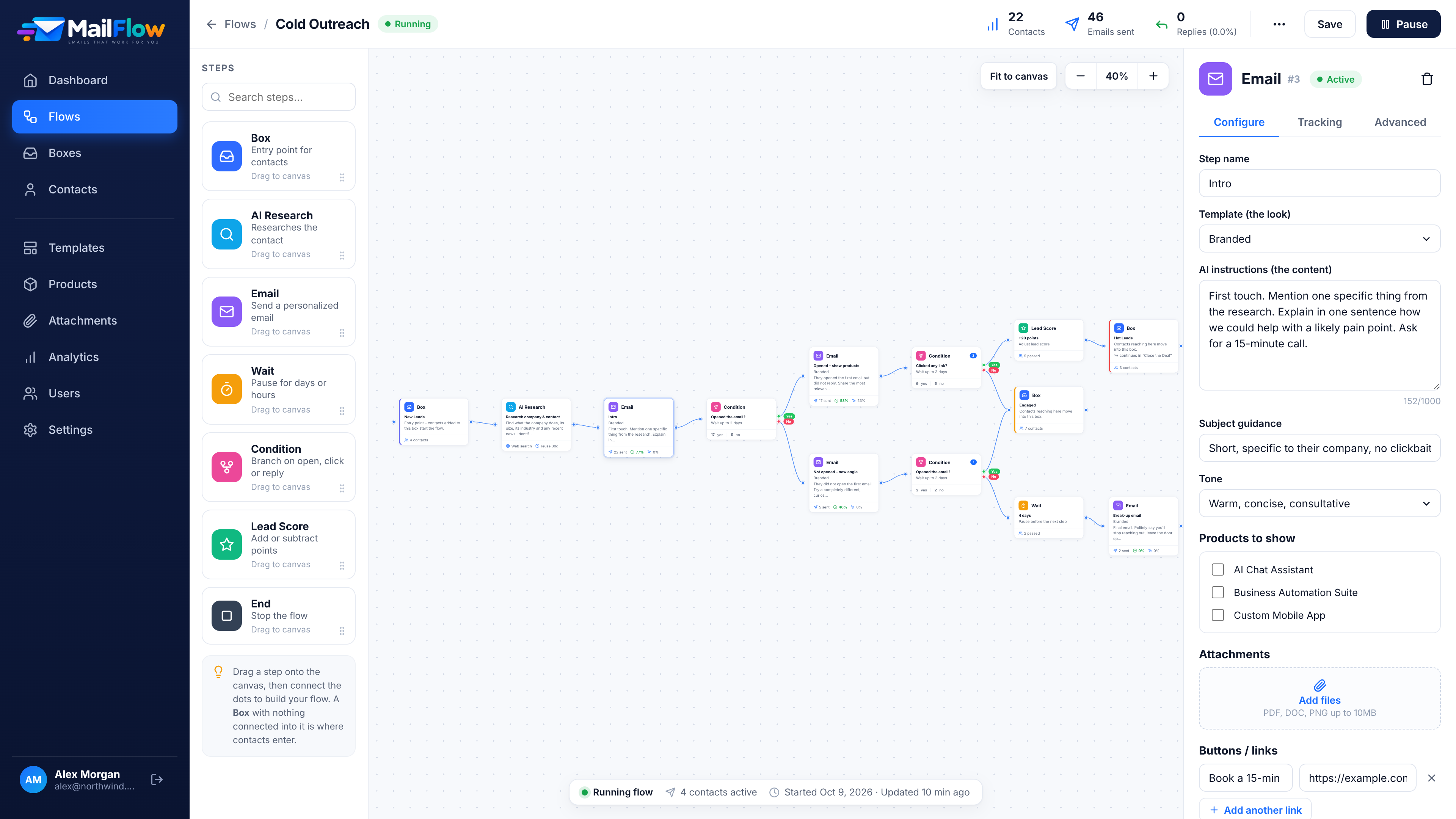
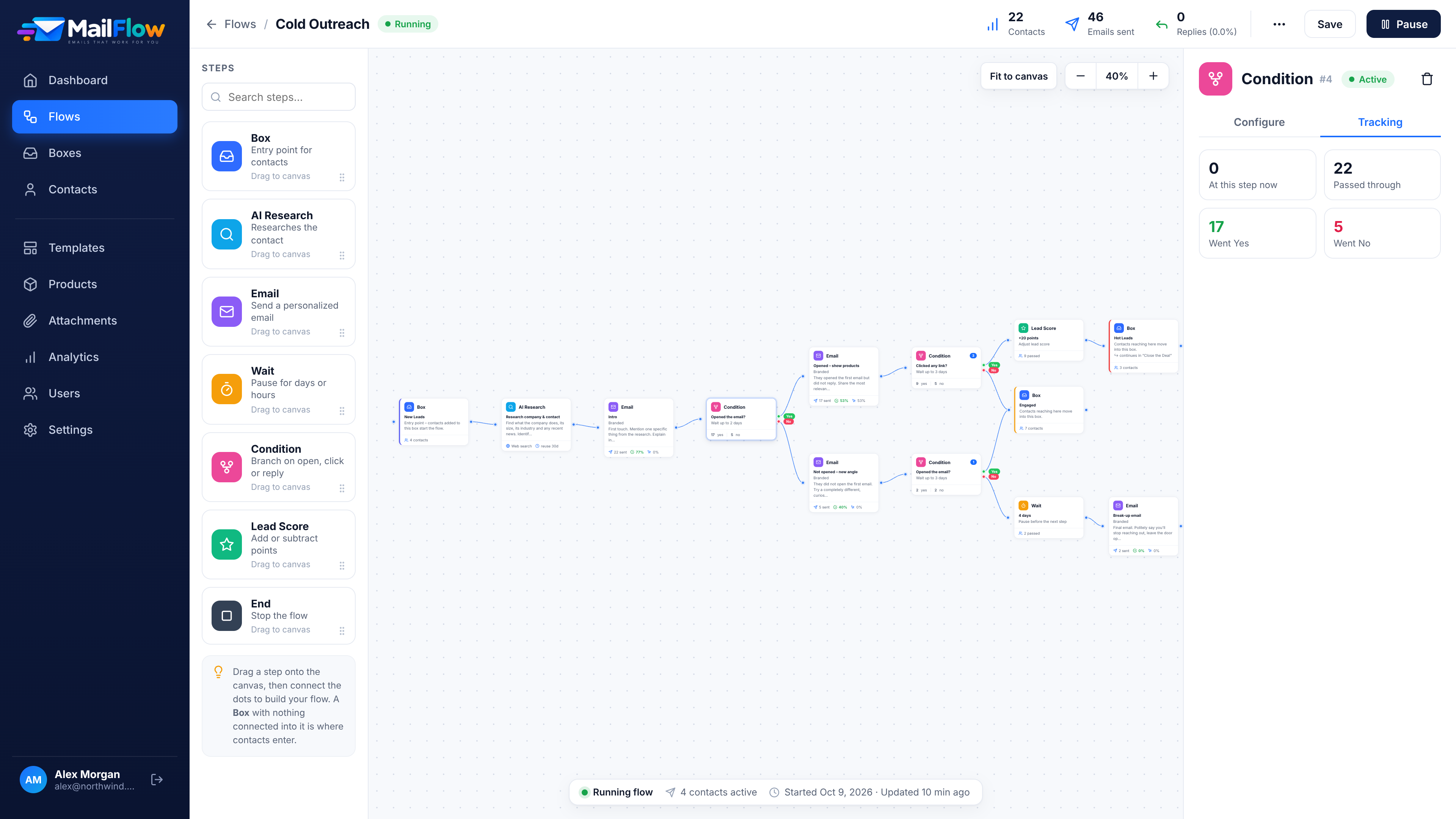
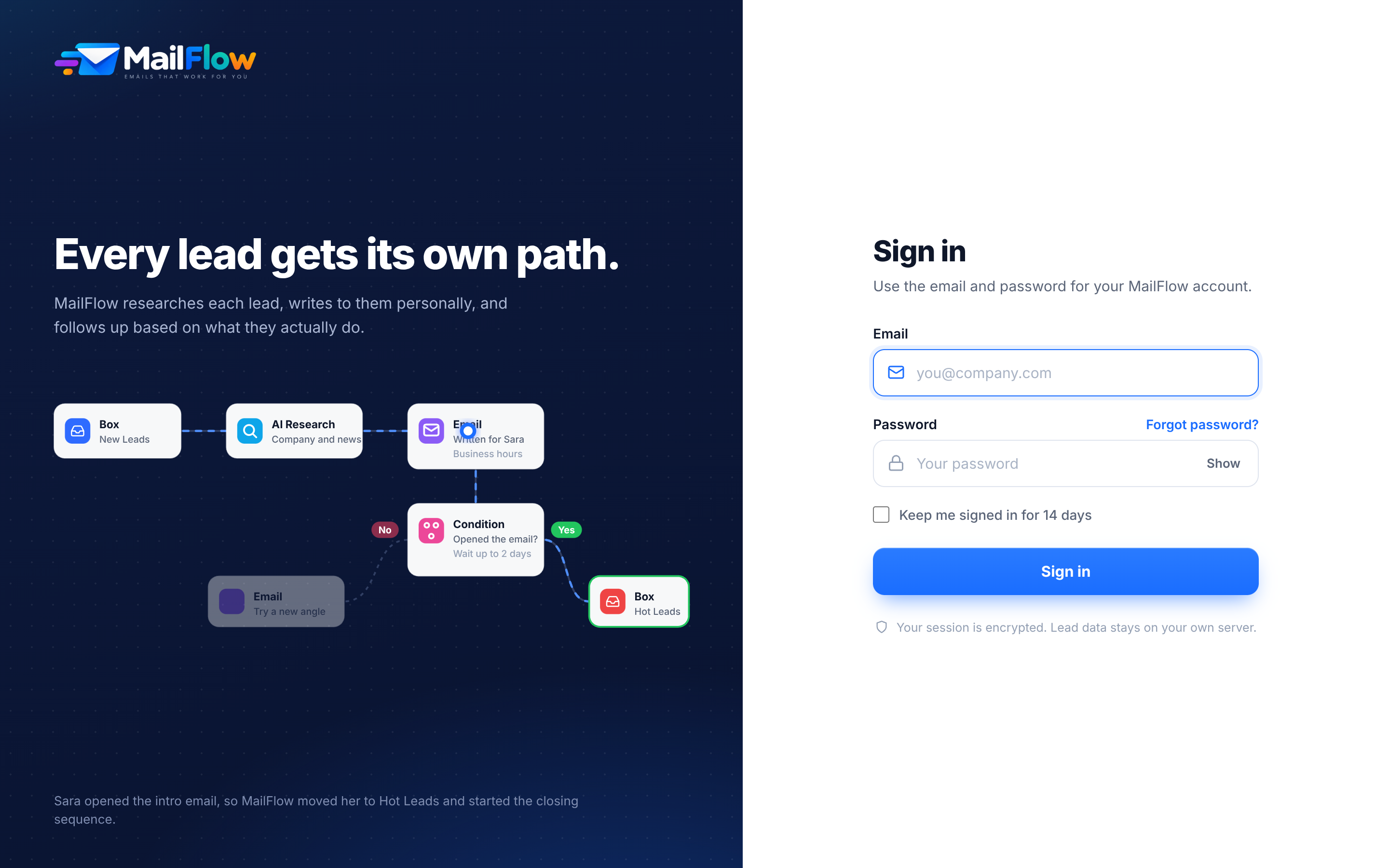
Drag steps onto a canvas and connect them like a flowchart. Conditions split the path into Yes and No, and every step shows live numbers while the campaign runs.
It reads up on every lead
before it writes.
Before writing, the AI looks up the lead's company, industry and recent news, and lists its sources.
Then it writes one email for that one person.
Company, industry and recent news. With sources.
Your tone. Your template. Its history.
No templates full of first names.
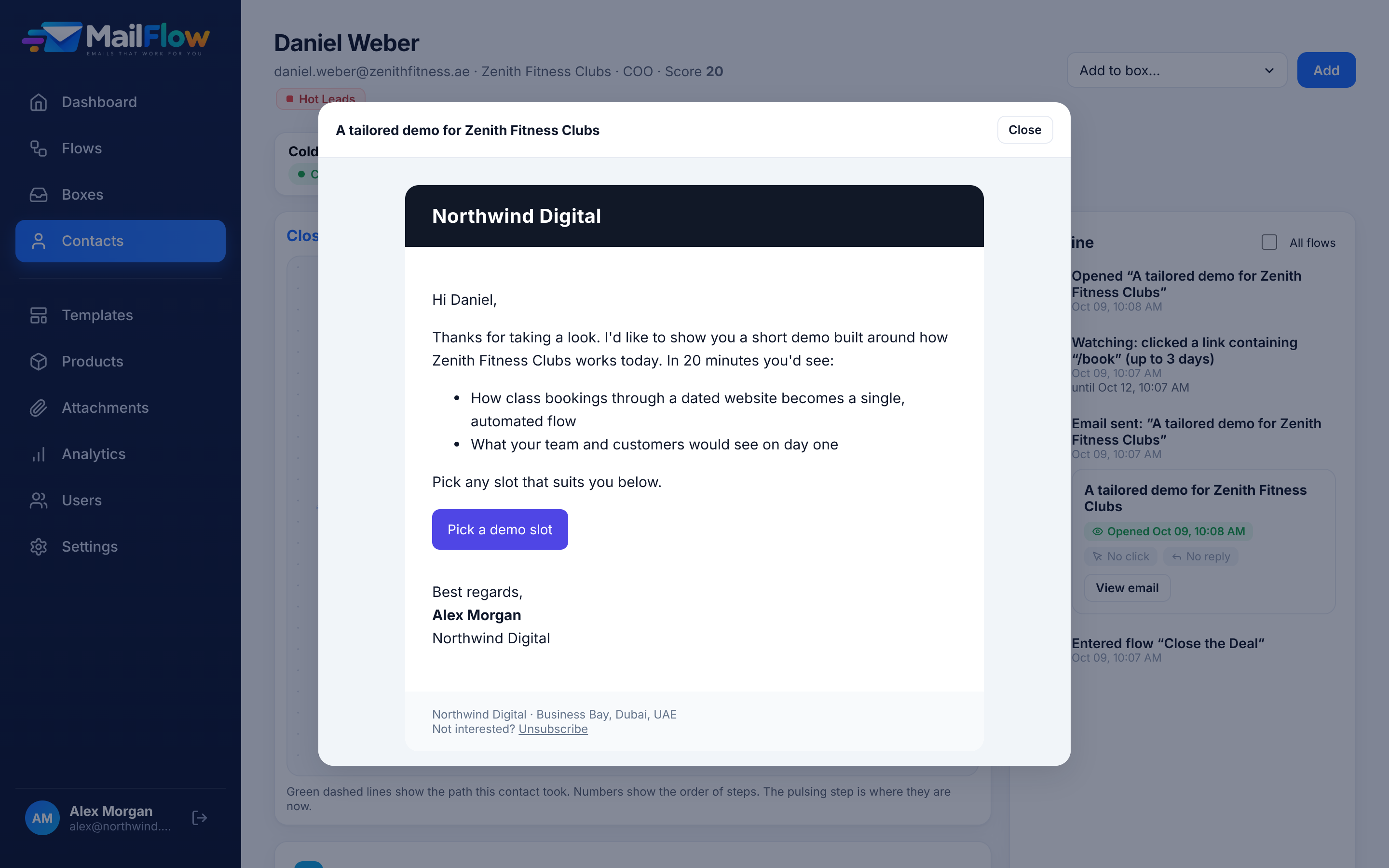
Each email is written from the research, in your tone and your brand template. It knows what was sent before and how the lead reacted.
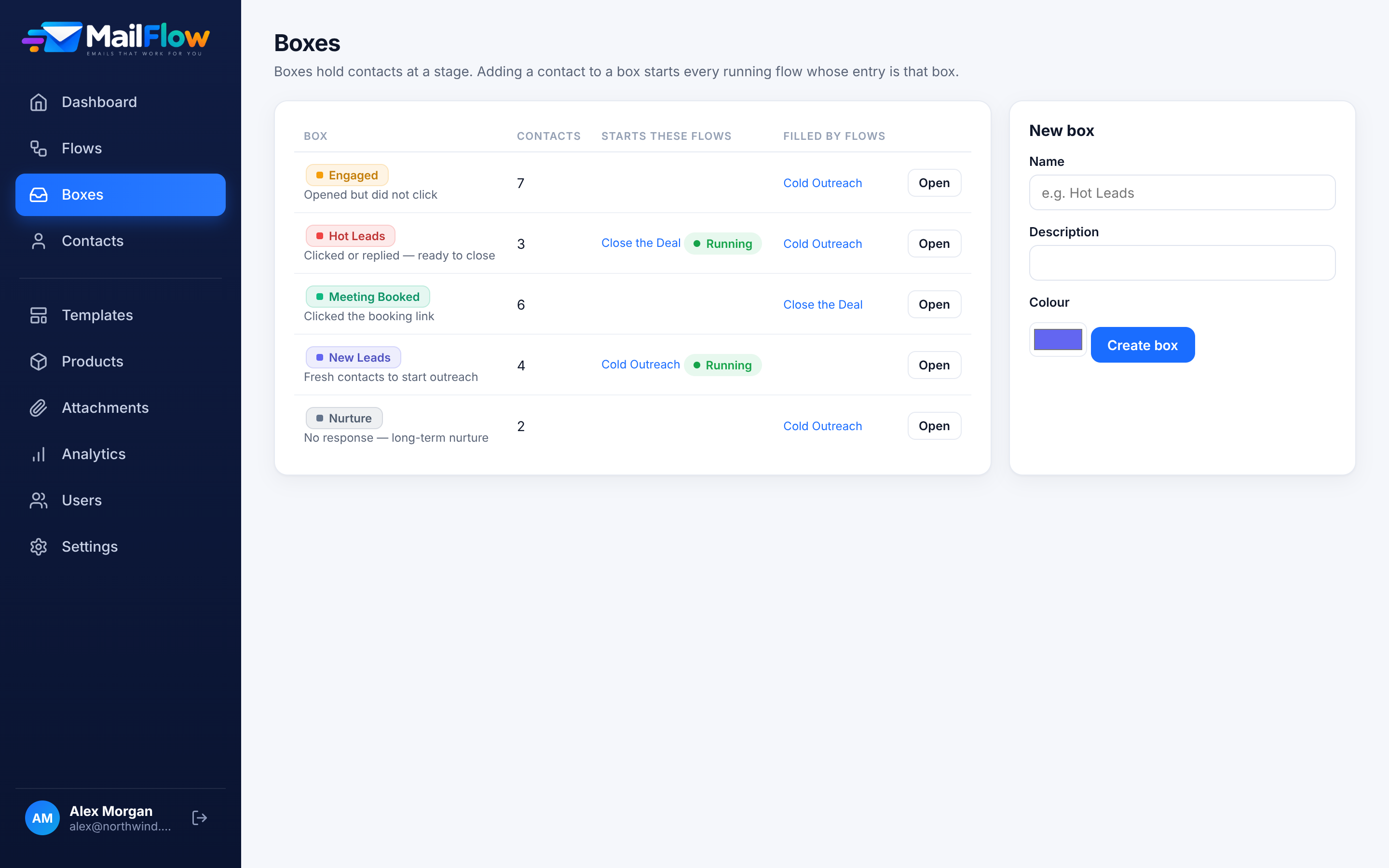
Your sales team knows exactly who to call.
Leads are sorted into stages called Boxes. A Box can start the next campaign automatically, so outreach, follow-up and closing stay connected.
A lead reaching Hot Leads continues straight into “Close the Deal”.
Add or subtract points at any step, and branch on the score.
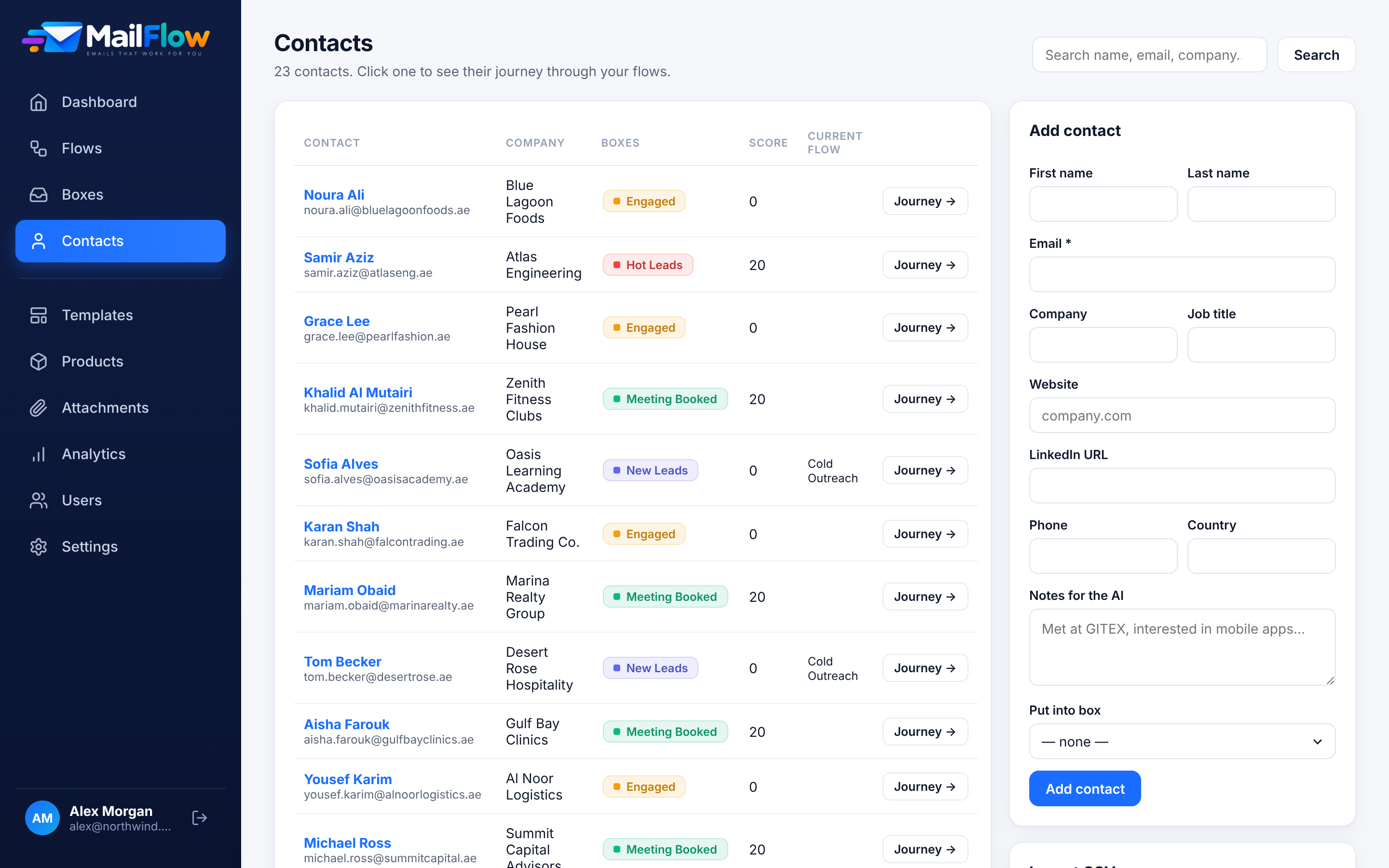
Import contacts from CSV (existing ones are updated) or add them by hand. Each lead enters a given flow only once.
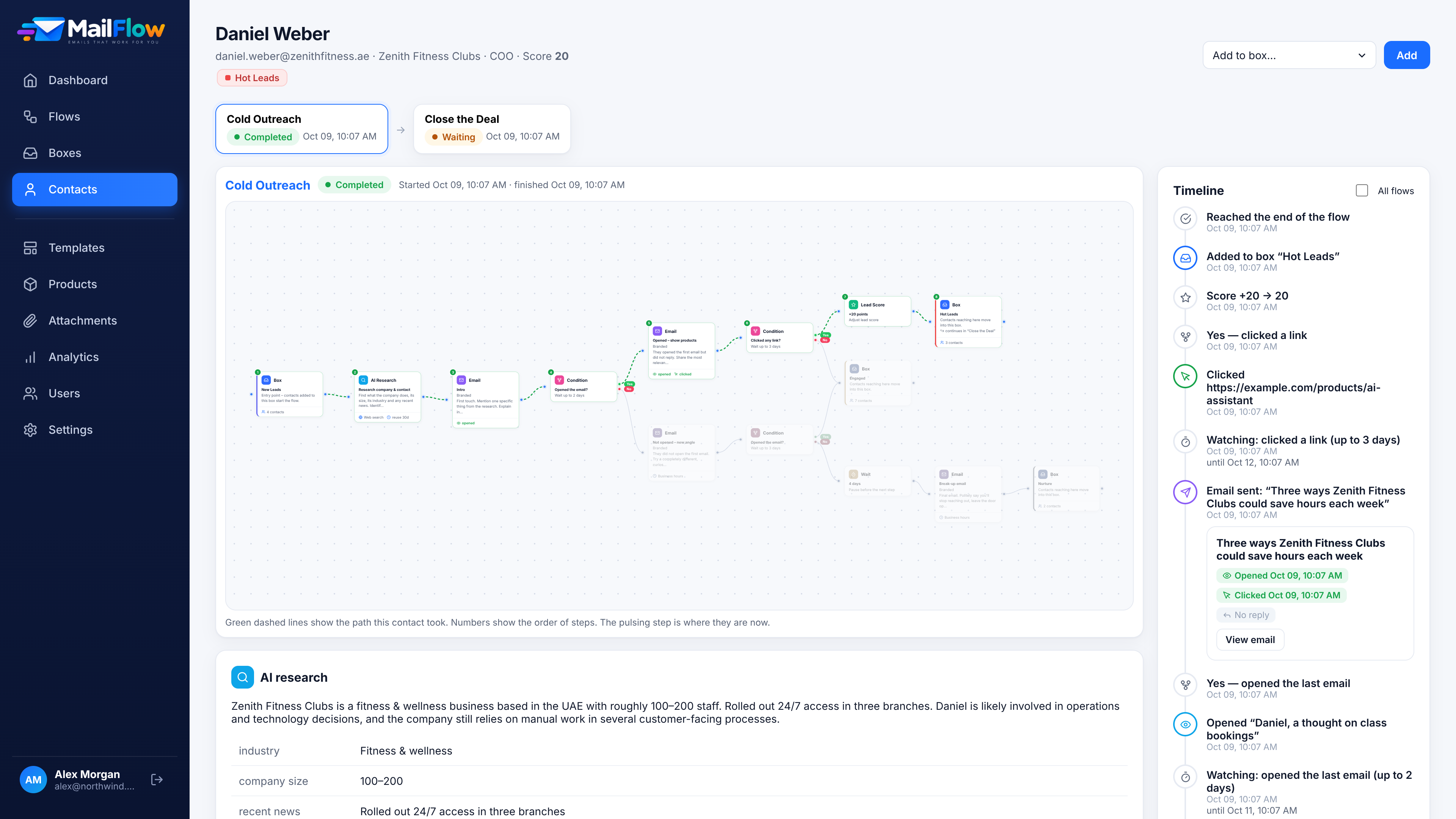
Open any lead. See the exact path they took.
The path is highlighted on the campaign, next to the flow chain, a full timeline, every email sent and the AI research.
Take a look inside.
Real screens from the working app. Drag or use the arrows to browse.
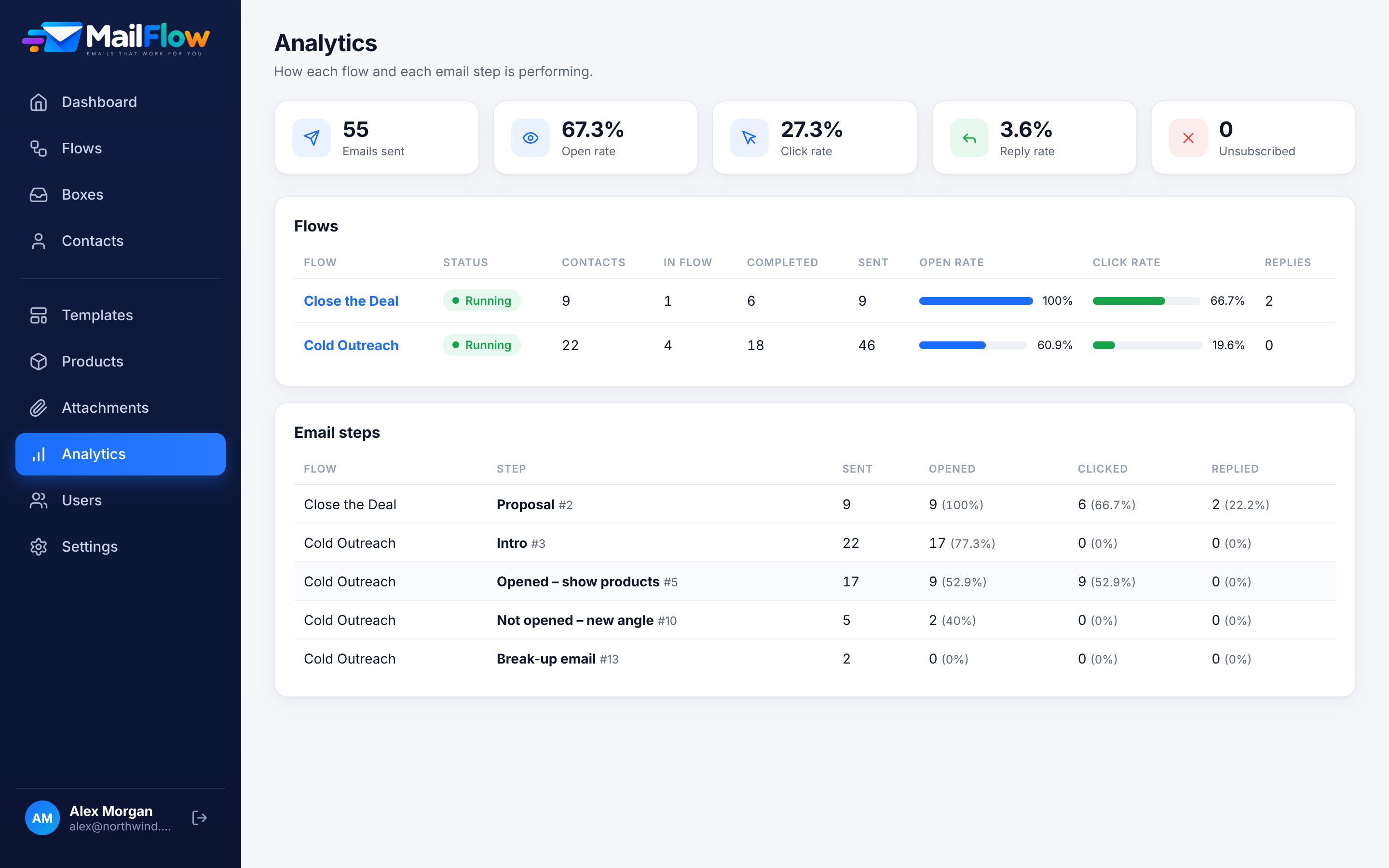
Every campaign. Every email. Measured.
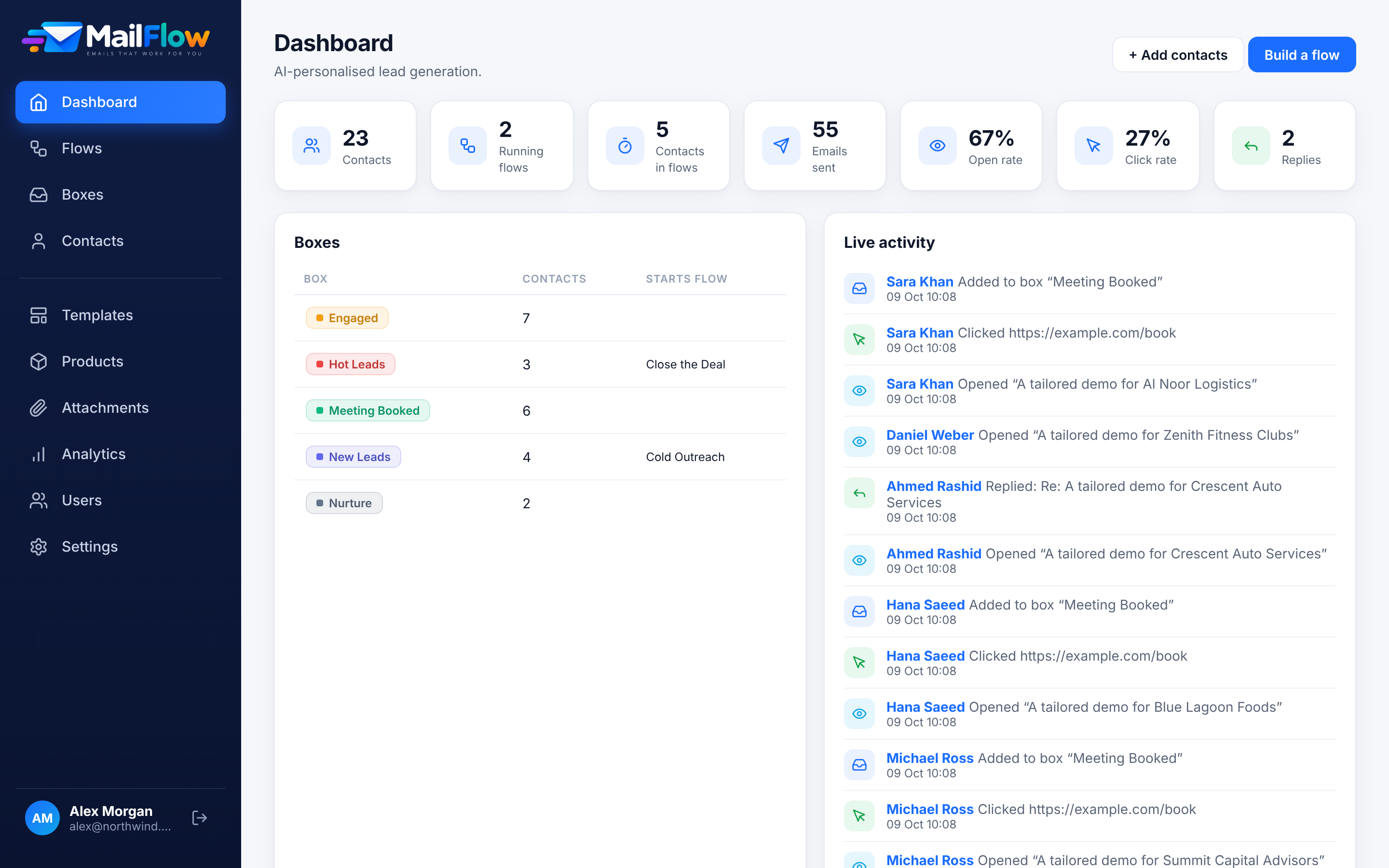
Open, click and reply rates for every flow and every email step. The dashboard shows your key figures, lead stages and a live activity feed.
Lead data stays with you.
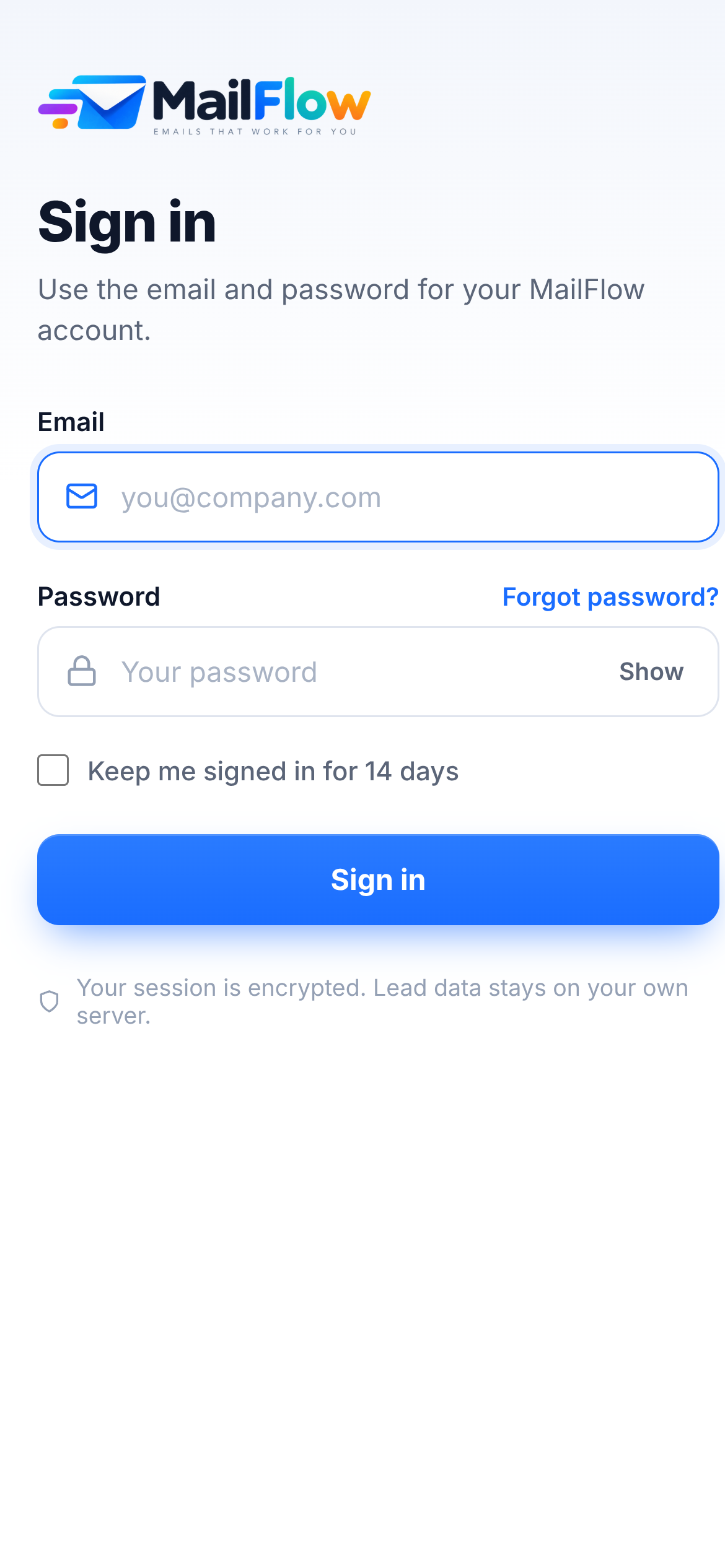
MailFlow runs on your own server with your own database. Send through any SMTP provider, and sign your team in securely.
Make it yours with your AI coding agent.
The MailFlow project can be modified with Claude, Codex and Antigravity. C#, Razor Pages, plain CSS and vanilla JavaScript with no build step keep the codebase easy for an agent to read and change.


See MailFlow on your own leads.
Draw a flow, add your leads, and watch MailFlow research, write and follow up for you.